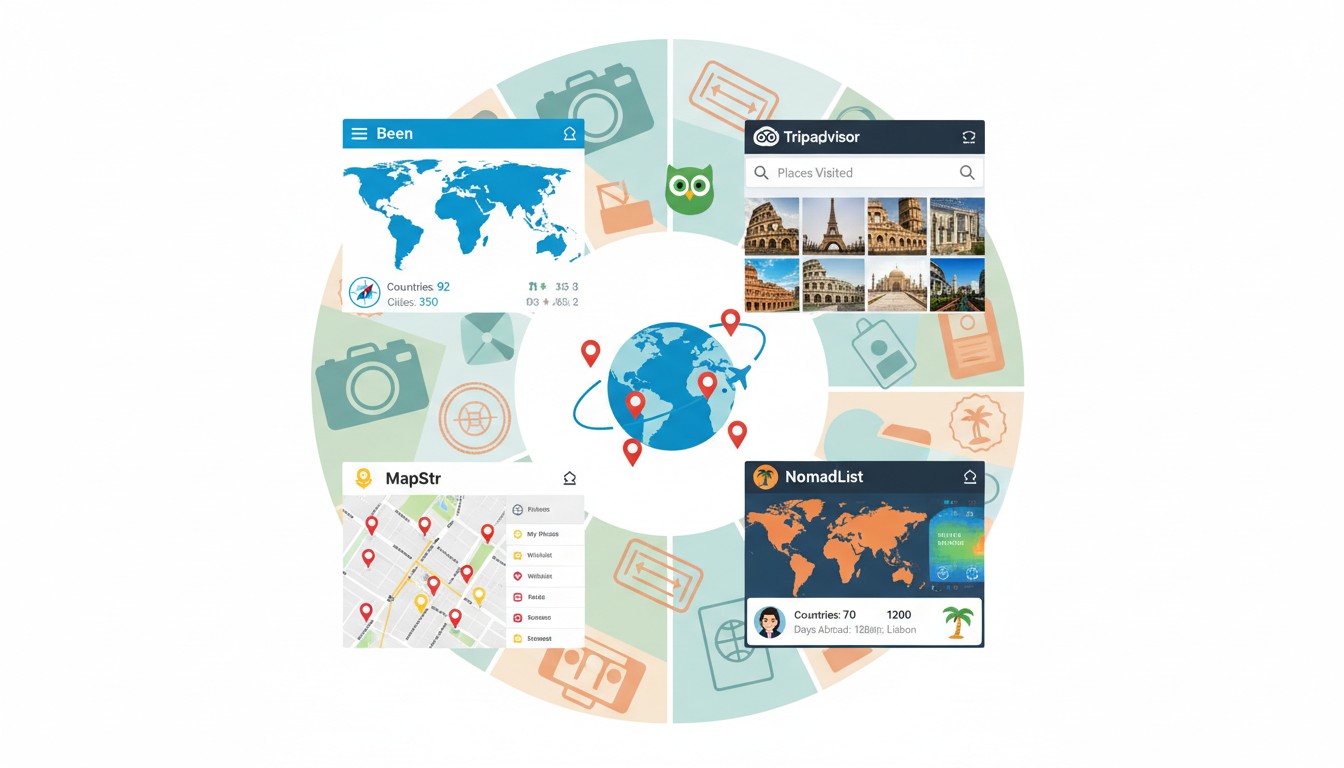
In an age where our footprints are自动 recorded by GPS satellites and our photos geotagged by default, the urge to actively track our travels has evolved from a niche hobby to a mainstream ritual. The psychology is layered: we seek to render the ephemeral permanent, to quantify experiences that resist measurement, to build a personal atlas that validates our movements through the world. Research from travel behavior studies suggests that actively logging our journeys transforms passive tourism into intentional documentation, embedding memories more deeply through the act of recall and annotation.
The market has responded with dizzying variety. From apps that automatically trace your route like digital shadows to manual journals requiring deliberate documentation, from minimalist country-counters to obsessive itinerary-archives—choosing the right tool depends entirely on your relationship with memory, privacy, and the very purpose of travel itself.
The Automatic Archivists: When Your Phone Remembers for You
For travelers who prioritize presence over pause-and-record, automatic tracking apps function like a silent stenographer. They run in the background, converting your movements into data points, your locations into a continuous line across the globe.
Polarsteps: The Beautiful Observer
Polarsteps has emerged as the darling of the “set it and forget it” crowd, and for good reason. The app uses minimal battery and data to trace your route automatically, creating a stunning visual map that looks like something from a travel magazine. As one tech reviewer noted, the annual “Unpacked” report—a Spotify Wrapped-style recap of your travels—has become a year-end ritual for users, revealing not just where you went but how far you strayed from home and the most unique places you discovered.
The genius lies in its frictionlessness. You don’t need to remember to check in or pin locations. The app records your path, and you add photos and notes later, when you have time and memory to spare. For a traveler hopping through Europe’s Schengen zone, this passive tracking is invaluable for monitoring the 90/180 day rule without conscious effort.
But this convenience comes with a trade-off: you’re surrendering granular location data to a company that monetizes through printed travel journals. For most users, the aesthetic payoff justifies the privacy cost, but it’s a calculation each traveler must make.
Google Maps Timeline: The Comprehensive Archive
If you use Google Maps with Location History enabled, you’re already being tracked—and you can view this data in Timeline. It’s the most complete automatic log available, integrating with Google Photos to show not just where you were, but what you photographed there. As analysis shows, the level of detail is unmatched: every stop, every route, every duration, cross-referenced with search history and photo metadata.
The privacy implications are significant. You’re trusting Google with your complete movement patterns, accessible (in theory) to law enforcement and advertisers. For travelers who prioritize privacy, this is a dealbreaker. But for data maximalists who want zero effort and maximum recall, Timeline is the gold standard—assuming you’re comfortable with the surveillance capitalism model.
“The GPS tracking is easily the standout here. You’ll know the precise spot you took a photo, and can then include a quick note—an inside joke you shared with a friend while there, a tidbit about the day.” — Polarsteps review on A Little Adrift
The Curated Chronicles: When Memory Requires Intention
Some travelers reject passive tracking as experiential outsourcing. They argue that the act of remembering—choosing what to record, how to describe it, which photo best captures the moment—is integral to memory formation. For them, manual journaling apps are not just tools but creative partners.
Day One: The Private Vault
Day One has earned its cult following by focusing on what matters: a beautiful writing environment, robust privacy (end-to-end encryption), and seamless cross-device sync. Its “On This Day” feature serves as a time machine, surfacing entries from years past with algorithmic serendipity. For a traveler who wants toprocess experiences through writing, not just pin them on a map, Day One is unmatched.
The limitation is map-first visualization. While you can tag locations, the app doesn’t center geography. It’s about the narrative, not the coordinates. This makes it ideal for reflective travelers who prioritize storytelling over statistics.
Journey and Travel Diaries: The Community Aspect
Journey distinguishes itself with social media integration, automatically pulling Instagram posts into your journal—a controversial but time-saving feature for travelers who already document publicly. Travel Diaries goes further, creating a shareable platform where your journal becomes a travelogue for friends and family to follow in real-time. As reviewers note, this community aspect transforms solitary documentation into shared narrative, though it requires comfort with public storytelling.
The trade-off is privacy. If you’re documenting a vulnerable moment—a travel anxiety attack, a cultural misunderstanding, a profound loneliness—you may not want it broadcast. These apps blur the line between diary and social media, appealing to travelers whose identity is intertwined with their online presence.
The Minimalist Checklists: When Less Is More
Not every traveler wants narrative depth. Some simply want to answer: “How many countries have I visited?” For them, manual entry apps offer satisfaction in completion—a digital version of scratching destinations off a bucket list.
Been: The Purist’s Choice
Been offers exactly what its name promises: a simple, visual representation of countries visited. You tap a country, it turns red. No journaling, no photos, no automatic tracking. It’s meditative in its simplicity. The app appeals to competitive travelers who compare country counts with friends, and to visual learners who process their travels through maps rather than words.
The limitation is obvious: depth. A week in Tokyo and a layover in Narita receive identical treatment—a tapped Japan. For travelers who measure experiences by duration and nuance, Been feels reductionist. But for those who value breadth and clear metrics, it’s perfect.
PinTraveler and Countries Been: The Detail-Oriented
PinTraveler adds layers to the Been model, allowing pins at the city and attraction level with photo attachments. The Points Analyst highlights its appeal for “visual planners” who want to see their travels as a constellation of specific moments rather than broad sweeps of countries. The manual pinning process, while time-consuming, creates a deliberate pause to reflect on each location.
Countries Been, mentioned in a travel tech video, extends the concept to states and cities, making it ideal for domestic travelers who want granular tracking without complexity. It’s the digital equivalent of pushpins in a physical map—nostalgic yet functional.
The Data-Driven Diaries: When Tracking Becomes Accounting
For some travelers, tracking isn’t about memory but compliance. Digital nomads need to prove days spent in each country for tax purposes. Long-term travelers must document Schengen zone stays. Frequent flyers want to aggregate loyalty points and reservation codes. These use cases demand apps that function as travel accountants.
TripIt: The Itinerary Master
TripIt excels at what it was built for: aggregating every confirmation email, reservation code, flight number, and hotel address into a master itinerary. As power users describe, it tracks “precise dates and times, costs involved, with whom I went, where did I make the reservation, the ticket numbers, the reservation code, if I was accredited some miles or points.” This is tracking as forensic documentation.
The downside is aesthetic. TripIt produces itineraries, not art. It’s a database, not a story. For travelers who need to prove their movements to immigration authorities or accountants, this is ideal. For those seeking emotional resonance, it’s sterile.
Flamingo and Wandre.space: The Compliance Tools
Flamingo gained a following among Schengen travelers for its singular focus: counting days. One user explains, “As someone who frequently travels to the Schengen area, the app helps me keep track of days to make sure I’m following the 90/180 rule.” This hyper-specific utility—tracking days for legal compliance—demonstrates how tracking apps have fragmented into niche solutions for particular bureaucratic nightmares.
Wandre.space operates similarly but adds ratings and notes, creating a private travel database rather than a public showcase. It’s the digital equivalent of a leather-bound logbook, maintained for personal reference rather than social broadcasting.
Privacy in the Age of Geographic Memory
Every tracking app represents a trade-off between memory and privacy. Automatic GPS tracking creates the most complete record but requires surrendering location data to corporate servers. Manual entry preserves privacy but demands discipline. This tension defines modern travel documentation.
The Surveillance Conundrum
Google Maps Timeline users must accept that their complete movement history feeds into Google’s advertising machine. While the data is ostensibly private, it’s subject to data breaches and government subpoenas. Polarsteps users trade location data for beautiful maps. Even Day One, with its encryption, stores data on cloud servers.
The privacy-conscious solution is local-first storage. Been keeps data on your device. Day One offers end-to-end encryption. For travelers visiting sensitive regions—journalists, activists, or those simply valuing anonymity—automatic tracking becomes a liability. In these cases, manual entry with strong encryption isn’t just preferred; it’s essential.
The Export Imperative
A critical but often overlooked feature is data export. What happens when your favorite app shuts down? Travel Diaries users who haven’t exported to PDF risk losing everything. Google Timeline users can export via Takeout, but the format is unwieldy. Day One supports multiple export formats, ensuring your memories remain portable.
The golden rule: choose apps that support industry-standard formats like GPX for routes, CSV for data, and PDF for journals. Your memories are too valuable to be locked in a proprietary silo.
Privacy Checklist: Before You Commit to a Tracker
- Does the app offer end-to-end encryption for stored data?
- Can you export your data in standard formats (GPX, CSV, PDF)?
- Are location logs stored locally or in the cloud?
- Does the app share anonymized data with third parties?
- Can you use the app offline without sacrificing core functionality?
If you answer “no” to more than two, consider a different app.
Real-World Scenarios: Matching Apps to Travel Styles
The “best” app is entirely contextual. A gap-year backpacker has different needs than a business traveler or a retired couple on a world cruise. Understanding your travel archetype is the first step to choosing the right tool.
The Scattered Nomad: Constant Movement, Zero Friction
Alex is a digital nomad who changes countries every 30 days. They need automatic tracking for visa compliance, a visual map for their travel blog, and exportable data for tax purposes. Their stack: Polarsteps for the public-facing map, Google Timeline for backup data, and Flamingo for precise day-counting. This redundancy might seem excessive, but when an immigration officer questions your entry date, having three sources of proof is invaluable.
The Memory Keeper: Depth Over Breadth
Maria takes one major trip annually, spending three weeks in a single country. She wants to remember not just where she went, but how she felt. Her app: Day One, with daily entries written over morning coffee. She manually tags locations and imports photos, creating a narrative arc that captures her emotional journey. The time investment is significant—30 minutes daily—but the resulting journal becomes a treasured artifact she revisits throughout the year.
The Quantified Traveler: Metrics as Motivation
James is competitive about travel. He wants to know he’s visited 47 countries, 237 cities, and 892 specific places. His app: PinTraveler, where he spends evenings after trips meticulously dropping pins and adding photos. The app gamifies his obsession, showing his progress toward visiting 50 countries before age 30. The manual labor is part of the pleasure—each pin is a trophy, a quantified achievement.
The Compliance Traveler: Documentation as Defense
Sarah splits her time between New York and Florida for tax purposes, while also managing Schengen visa restrictions for her European clients. Her tools: TripIt for detailed itineraries, Flamingo for day-counting, and a simple spreadsheet backup. She exports everything quarterly. For her, tracking isn’t nostalgic—it’s legal protection.
The Future of Travel Memory: What’s Next
The evolution of travel tracking points toward integration and AI-assisted curation. Imagine an app that automatically tracks your route (like Polarsteps), identifies photos from your camera roll (like Google Photos), writes draft journal entries based on your calendar and weather data (like a hypothetical AI scribe), and produces a printable book with one tap. This isn’t science fiction—it’s the inevitable convergence of existing technologies.
Emerging Trends
**Blockchain verification** may soon allow travelers to create immutable records of their journeys, useful for digital nomads proving tax residency. **Augmented reality** could overlay your historical travel data onto real-world views—stand in Athens and see pins from your 2019 trip float above ancient ruins. **AI summarization** might distill months of travel into coherent narratives, solving the problem of digital overload.
But the fundamental tension remains: will automation enhance memory or replace it? When an AI writes your travel journal, who’s doing the remembering? The most thoughtful travelers will likely adopt a hybrid approach—using automation for raw data capture, but reserving human intention for meaning-making.
Your Tracking Stack: Building a Resilient System
No single app serves every need. The most robust approach is a deliberately designed stack: one automatic tracker for backup, one manual journal for depth, and one minimalist checklist for quick reference.
The Recommended Stack for Most Travelers
1. **Polarsteps** (automatic): Runs silently in the background, creating a visual map you can share with friends and family. It’s your insurance policy against forgetting and your public-facing travel story.
2. **Day One** (manual): For meaningful entries—moments you want to process through writing. Use it selectively, not daily, focusing on experiences that require deeper reflection.
3. **Been** (checklist): Quick satisfaction when you want to answer “How many countries?” without opening a full journal. It’s your travel scorecard.
The Export Ritual
Set a calendar reminder: every six months, export everything. Download your Polarsteps data as PDFs. Export your Day One journal. Take screenshots of your Been map. Store these in a dedicated cloud folder. This ritual ensures that when (not if) an app shuts down or changes its terms, your memories remain yours.
Tracking Isn’t Remembering—Until You Make It So
All the apps in the world won’t save a memory you never formed. The act of looking up from your phone, of standing in a place until it imprints on your senses—that’s the real work of travel memory. Tracking apps are scaffolds, not substitutes.
Choose your tools wisely, but don’t let them become the point. Pin the location, write the entry, tap the country—but then close the app and look around. The best travel tracker is the one that quickly captures the facts so you can get back to the experience. Your future self doesn’t need perfect data; they need vivid memories. Apps can help, but only you can create them.
Start simple. Pick one app. Use it for one trip. Notice what you actually reference later versus what you ignore. Build from there. Your travel memory system should serve you—not the other way around.
Leave a Reply